
Free technology help for older adults in King & Pierce Counties Questions? Call 253-617-5848 or email support@yourseniortech.com

Free Technology Help for Seniors

Free, patient, one-on-one help with phones, tablets, computers, and apps for older adults in King and Pierce Counties.

Where can an older adult get free, in-person tech help in King or Pierce County? Senior Tech Foundation offers free one-on-one help at Mobile Tech Clinics and community workshops. A trained student mentor works side by side with you on any device. Call 253-617-5848 or check the events page to find the next clinic.

What you can get help with

  • Setting up a new phone, tablet, or computer
  • Email, text messages, photos, and video calls with family
  • Apps, accounts, passwords, and settings
  • Making text bigger and devices easier to use
  • Checking whether a call, text, or email is a scam
  • Printers, smartwatches, e-readers, and other personal technology

How one-on-one help works

You are matched with a trained high school or college student mentor. They sit with you, work at your pace, and explain what they are doing and why, so you can repeat it on your own. You can bring a list of questions or one specific problem.

Who it’s for

Older adults living independently, in senior living communities, or in housing communities, and the family members and caregivers who help them. No experience is needed.

Ways to get help

Where we help

We serve older adults across King County and Pierce County, Washington.
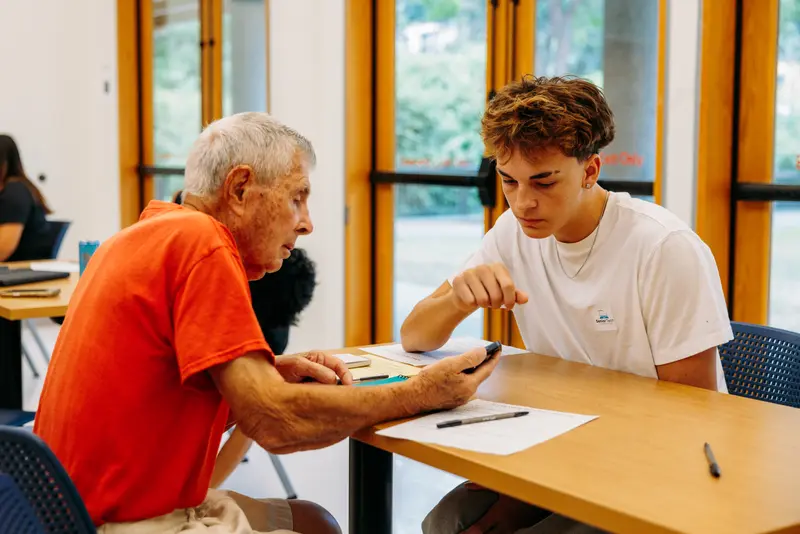
A student mentor helps an older man with his phone

At a glance

  • Cost: Free
  • Who: Older adults, families, and caregivers
  • Where: King & Pierce Counties, WA
  • Questions: 253-617-5848

Common questions

Is the help really free?

Yes. Senior Tech Foundation’s clinics, one-on-one help, and Tech Talks are free for older adults. Our programs are paid for by donations, grants, and sponsors, so there is never a charge to the people we help.

What devices can you help with?

Phones, tablets, laptops, smartwatches, e-readers, and other personal technology. Common requests include apps, accounts, passwords, photos, email, settings, video calls, and checking whether a message is a scam.

What should I bring?

Bring your device, its charger, and any passwords you may need (for example, your Apple ID or Google account). A list of questions helps too. Never share your passwords out loud in a public space; mentors will show you how to type them privately.

Is Senior Tech Foundation the same as Your Senior Tech?

No. Senior Tech Foundation is a nonprofit, and everything on this website is free. Your Senior Tech is a separate company that offers paid services.

Ready for free help?

Find a clinic near you or bring one to your community.